Fleet

Every Claude Code session on your Mac, on one board.

Fleet shows what each agent is doing right now, the subagents it spawned and what it costs, across every repo and terminal. It keeps a record of every session after Claude Code deletes the transcript, and opens new agents in real terminal windows.

npm install -g @jainil_desai/fleet
Source on GitHub

Then run fleet. Free and open source, macOS, Node 20+.

Every agent, live

Sessions are grouped by repo, including ones you started in an editor's terminal. Each shows whether it's working, idle or waiting on you, its model and branch, the tool call it's running, its cost and how full its context is.

Run several small agents on the model each task deserves, instead of one big session doing everything.
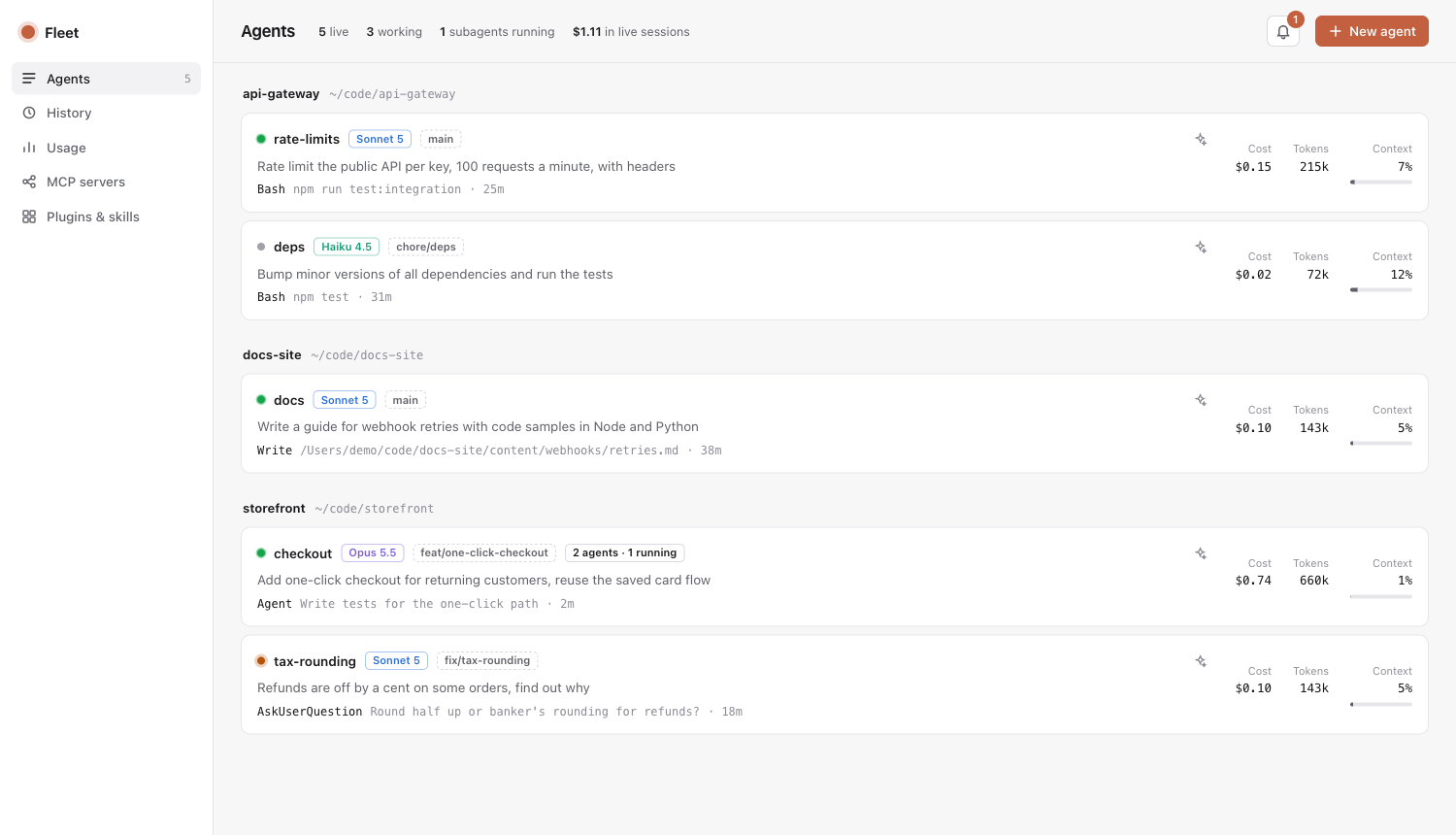
Fleet's Agents page: five sessions grouped under three repos

Subagents and workflows, not just sessions

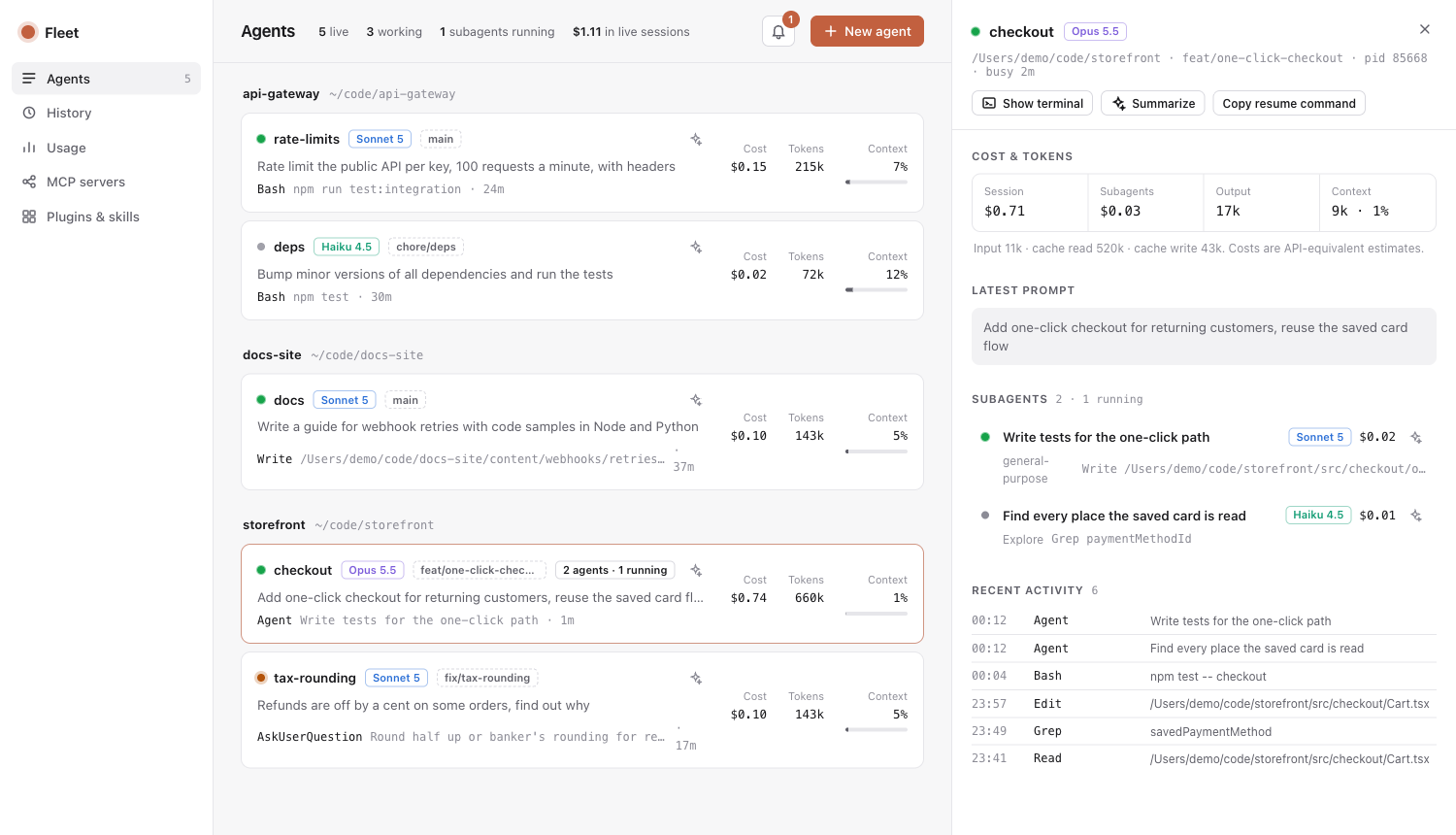
Open a session to see its cost split between itself and its subagents, the latest prompt, the tree of subagents it spawned with each one's model and cost, and its recent tool calls.

Workflows show as phases with every workflow agent under its phase. The ✦ button asks Claude Haiku for a two or three line summary of what an agent is up to.

A session's panel: cost, latest prompt, two subagents and recent activity

A history that outlives cleanup

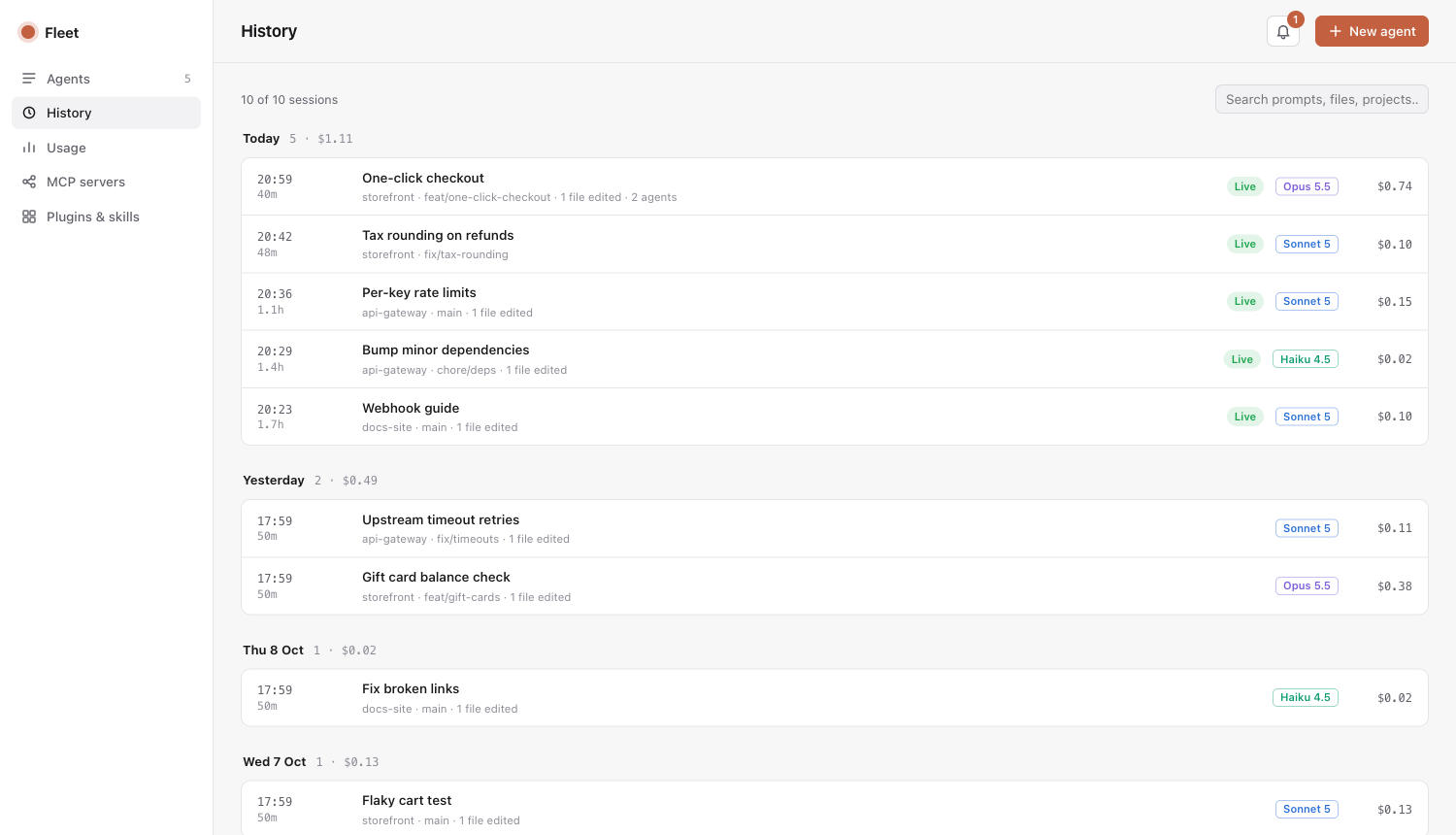
Claude Code deletes transcripts after 30 days. Fleet keeps a record of every session: title, project, branch, model, cost, what you asked and which files it edited.

Search all of it, summarize what a session did, or copy the command to resume it.

History page: past sessions grouped by day, one expanded

Small on purpose

  • Zero dependenciesNode 20 and the claude CLI. The whole package is 18 files.
  • Reads, doesn't changeFleet reads what Claude Code already writes to ~/.claude. No hooks, no edits to your settings.
  • Stays on your MacIt listens on localhost only and has no telemetry. Summaries go through your own Claude login, only when you ask.

Also in Fleet

  • NotificationsA banner when an agent needs you or finishes a long task. With terminal-notifier installed, a click lands on that session's terminal tab.
  • New agentPick a repo, model, effort and first prompt. Fleet opens it in Terminal or iTerm, optionally in its own git worktree.
  • Usage and limitsYour 5-hour and weekly plan limits, today's spend by model and project, and 30 days of tokens.

Get started

  1. Install Fleet with npm.
    npm install -g @jainil_desai/fleet
  2. Start it. Your browser opens http://localhost:7788 with every running session.
    fleet
  3. Optional: make notification banners open the session's terminal when clicked.
    brew install terminal-notifier

Everything else, from plan limits to privacy, is in the docs.